
System integration connects the software a business already uses - website, CRM, marketing, accounting and reporting tools - so information moves between them without being copied by hand. Start with the process causing repeated entry or delays, review what your systems support, define what data should move and when, choose an approach (built-in connectors, APIs, middleware or custom development), then test accuracy, permissions and error handling before relying on it.
Your business may already use a website, CRM, accounting software, email marketing platform and several other digital tools. Each one serves a purpose. But are they actually working together?
Imagine receiving a customer enquiry through your website. Someone has to copy the details into the CRM, notify the sales team, update a spreadsheet and perhaps add the contact to a follow-up campaign.
Now imagine doing this dozens or hundreds of times.
The problem isn't necessarily the software itself. It's the gap between these tools. When applications don't share information, employees end up doing the connecting manually.
This is where system integration becomes important. It allows different business applications to communicate, exchange information and support connected workflows.
Instead of adding more software to solve every problem, businesses can often get better results by connecting the tools they already use.
What Is System Integration?
System integration is the process of connecting different software applications, platforms and business systems so they can exchange information and work together.
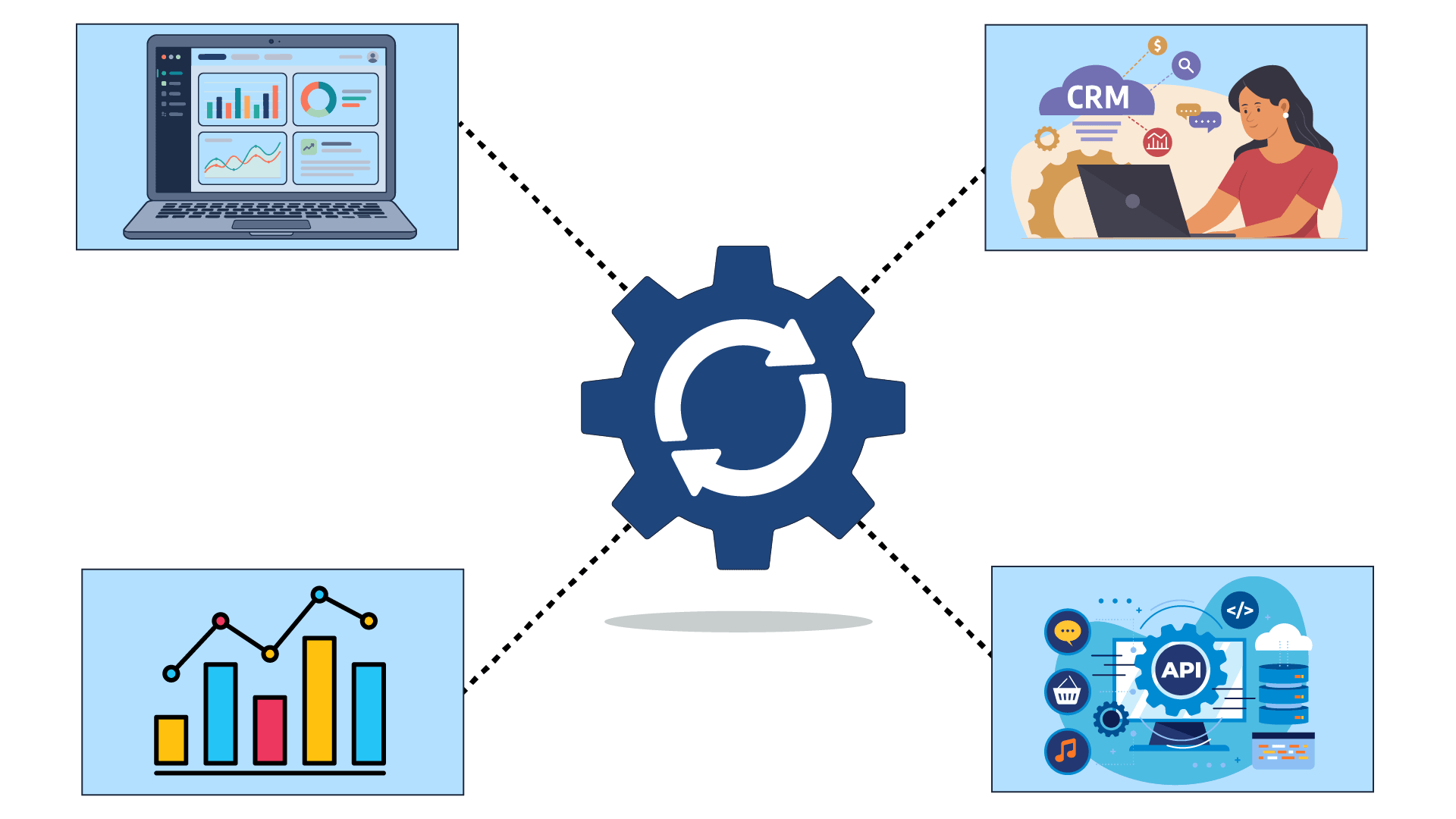
In simple terms, it allows one system to share relevant information with another without requiring someone to transfer everything manually.
For example, when a customer submits a form on your website, their information can automatically be sent to your CRM. The sales team can then access the enquiry, assign it and manage the follow-up process.
The systems continue doing their individual jobs, but the information moves between them more smoothly.
This is what integrated business systems help achieve: a connected working environment where different tools support the same business process.
Why Do Businesses Need System Integration?
Using multiple software applications isn't a problem by itself. Difficulties arise when employees have to manage the gaps between them.
Here are some common situations businesses experience.
1. Repeated Manual Data Entry
When applications don't communicate, employees often enter the same information in multiple places.
This takes time and increases the possibility of mistakes. Integration can help transfer information automatically between connected systems.
2. Disconnected Customer Information
Customer details may be stored separately in website forms, spreadsheets, CRM platforms and email tools.
Without proper connections, teams may not have a complete view of customer interactions. Integrating these systems can make relevant information easier to access.
3. Delayed Follow-Ups
When an enquiry arrives but doesn't reach the right person immediately, the response can be delayed.
Connecting website forms with a CRM or workflow system can help ensure enquiries are recorded and assigned more efficiently.
4. Difficult Reporting
Businesses sometimes collect reports from several applications and combine them manually.
Connecting relevant data sources can help bring information into a central dashboard, making it easier for management to monitor operations and performance.
Examples of System Integration in Business
System integration can support different departments and business activities. Here are a few practical examples.
Website and CRM Integration
A visitor submits an enquiry through your website. Instead of manually transferring the details, the information is automatically added to the CRM.
The sales team can view the enquiry, assign it to the right person and track its progress.
This type of CRM integration helps reduce manual data entry and makes it easier to manage incoming enquiries.
CRM and Marketing Automation Integration
When customer information is available in the CRM, it can support relevant marketing workflows.
For example, a person who downloads a guide or requests information may receive an appropriate follow-up email, depending on their preferences and the configured workflow.
Connecting CRM platforms with marketing automation tools can help businesses coordinate communication and follow-ups more effectively.
Accounting and Business Management Integration
A business may use separate applications for customer management, invoicing and accounting.
Connecting these applications can reduce duplicate entries and make relevant transaction information easier to manage.
Multiple Systems and Reporting Dashboards
A business may want to monitor sales, enquiries and marketing performance in one place.
Relevant applications can be connected to bring selected information into a unified dashboard, helping management understand what is happening across different activities.
The exact possibilities depend on the applications, available integrations and business requirements.
How Does API Integration Work?
You may have come across the term API integration while researching how different applications connect.
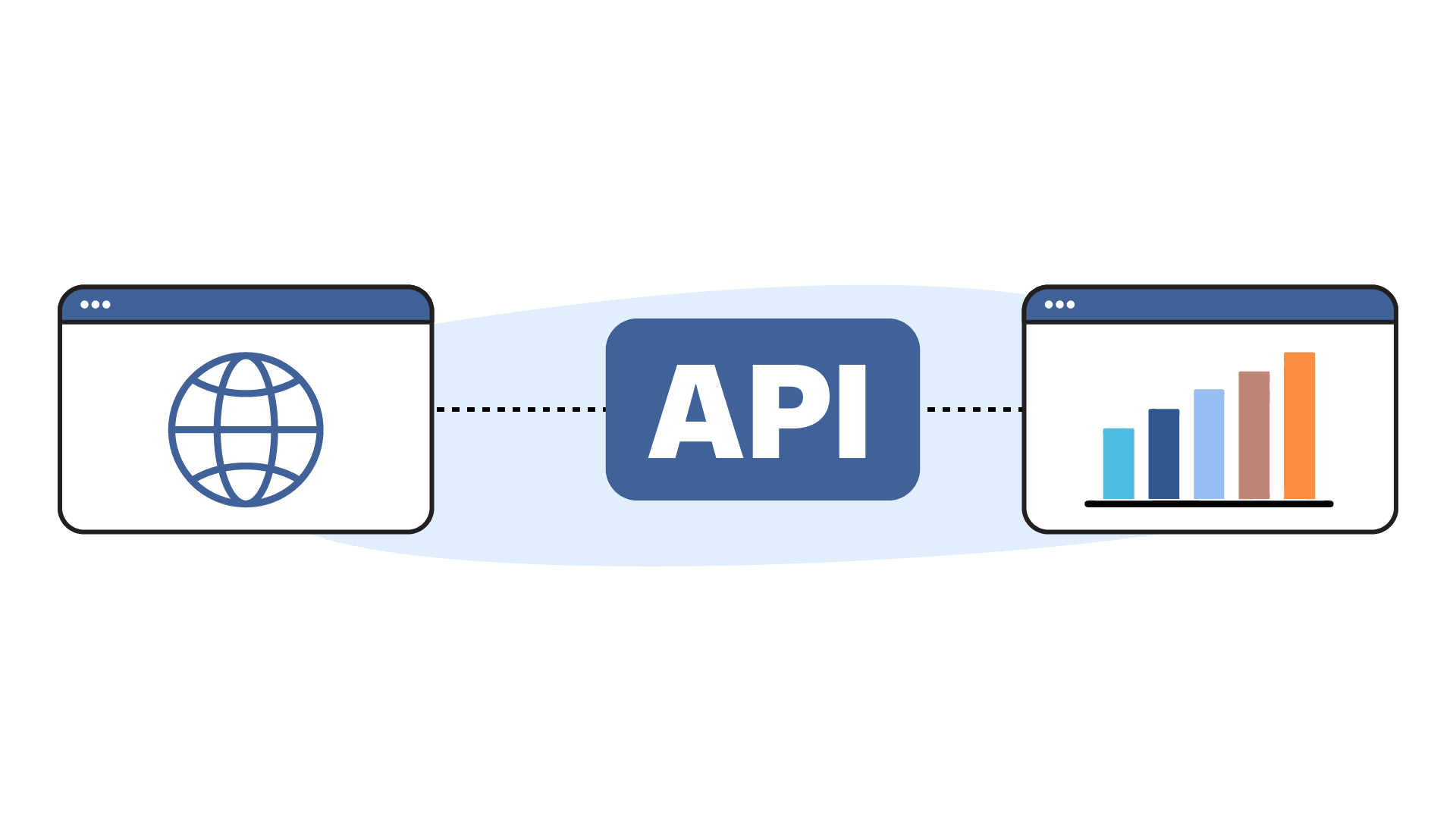
An API, or Application Programming Interface, allows software applications to communicate and exchange information through defined rules.
Think of it as a communication channel between two systems.
For example:
- A customer submits an enquiry through a website.
- The website sends the relevant information through an API.
- The CRM receives the information.
- The enquiry is recorded and made available to the sales team.
The process can happen automatically, without an employee manually copying the details.
Not every integration requires custom development. Some applications already offer ready-made integrations, while others may need API-based connections or middleware to exchange information.
APIs are one common way to connect applications. Depending on the software, integrations may also use built-in connectors, webhooks, middleware or other technical methods.
The right approach depends on what the systems support and how information needs to move.
System Integration vs Business Automation: What's the Difference?
These two terms are closely related, but they don't mean the same thing.
System integration connects different applications so they can exchange information.
Business automation uses rules and workflows to perform tasks with less manual involvement.
Consider a simple example:
- Integration connects your website to your CRM.
- Automation assigns the new enquiry to a sales representative.
- Another automated step may send an acknowledgment email.
In this example, integration enables information to move between systems, while automation determines what happens next.
Together, they can help businesses create more connected and efficient workflows.
When Should Your Business Consider System Integration Services?
Not every business needs complex integrations. However, certain signs suggest that connecting your systems may be worth considering.
You may need system integration services when:
- Employees regularly copy information between applications.
- Customer records are scattered across multiple platforms.
- Website enquiries aren't reaching your CRM automatically.
- Different departments maintain separate versions of the same data.
- Reporting requires collecting information from several tools.
- Your existing software doesn't communicate effectively.
The objective isn't to connect every application just because it is possible. It is to identify where disconnected systems are creating unnecessary work or limiting visibility.
What Should You Check Before Integrating Business Systems?
Before connecting different applications, it is important to understand whether the integration will work reliably and support your business requirements.
Here are a few things to consider:
1. Software Compatibility
Check whether the applications support APIs, built-in integrations or other connection methods. Not every platform offers the same integration options.
2. Data Flow
Identify what information needs to move between systems, where it should go and when the transfer should happen.
3. Access and Permissions
Determine who should be able to access, view or modify shared information. Appropriate permissions help protect business and customer data.
4. Error Handling
Consider what happens if information fails to transfer or an application becomes temporarily unavailable. A reliable integration should make it possible to identify and resolve errors.
5. Future Requirements
Think about how your business may grow and whether the integration can support additional users, applications or processes later.
Planning these points early can help avoid unnecessary complexity and make the integration more useful in everyday operations.
How to Approach a System Integration Project
A successful integration begins with understanding the business process, not selecting a technical tool.
Here are five important steps.
- Identify the problem. Start by identifying which processes involve repeated data entry, delays or disconnected information.
- Review your existing systems. Understand which applications you currently use, what information they store and whether they support integration.
- Define how information should flow. Decide what information needs to move, where it should go and when the transfer should happen.
- Choose the right integration approach. Depending on the requirements, this may involve APIs, existing connectors, middleware or custom development.
- Test and monitor the integration. Check that information is transferred accurately, permissions are handled correctly and errors can be identified and resolved.
Planning these steps carefully helps avoid unnecessary complexity and makes the integration more useful for everyday operations.
How Anantya TechLabs Helps Businesses Connect Their Systems
Adding more software doesn't always solve operational problems. Sometimes, the real improvement comes from making existing applications work together.
At Anantya TechLabs, System Integration is part of our Systems & Conversion solutions. We help businesses connect the applications they already use, improve information flow and reduce the manual work involved in managing disconnected systems.
Our system integration solutions can include:
- Connecting websites, CRM platforms and other business applications.
- API integration between compatible systems.
- Automated data synchronization.
- Connecting marketing and sales workflows.
- Bringing relevant business information into unified dashboards.
Our approach starts with understanding how your business operates and identifying where better connections can reduce manual work.
Explore Anantya TechLabs' Systems & Conversion services to learn more about CRM, automation and system integration solutions.
Final Thoughts
Your business doesn't always need another software application. It may need the tools it already uses to communicate better.
When websites, CRM platforms, marketing applications and other business systems work together, information becomes easier to manage and everyday processes can become more efficient.
The real value of system integration services isn't simply connecting software. It's creating a working environment where information moves smoothly, teams spend less time on repetitive tasks and business decisions become easier.
At Anantya TechLabs, we help businesses identify integration opportunities and connect their existing tools through practical system integration solutions.
Want to make your business tools work better together? Explore our System Integration Services.
FAQs
What is system integration in simple terms?
System integration means connecting different software applications so they can exchange information and work together. It helps reduce manual data transfer and disconnected processes.
What are some examples of system integration?
Common examples include connecting a website to a CRM, linking accounting software with business applications, integrating marketing platforms and bringing information from multiple systems into a reporting dashboard.
What is the difference between API integration and system integration?
System integration is the broader process of connecting applications. API integration is one method of achieving it, using defined interfaces that allow software systems to exchange information.
Can existing business software be integrated?
Many existing applications support integrations through APIs, built-in connectors or other methods. However, compatibility, access permissions and technical limitations should be checked before planning the connection.
Does system integration eliminate manual work completely?
Not necessarily. It can reduce repetitive tasks and automate specific information flows, but some activities may still require human review, approval or decision-making.


